 ros2lab
THE LAB
Every demo at full size.
The browser terminal with its 8 missions, the link to ROS 2 on your own PC, and three replays of real ROS 2 recordings. Nothing heavy loads until you press its button.
LEVEL 1
The terminal lab
0/8 missions
No turtlesim window yet.
It opens when you runros2 run turtlesim turtlesim_node
- In Pane 1: Start the turtlesim node. It keeps this pane busy, like on Ubuntu:
- In Pane 2 (it opens by itself): List the running nodes:
- turtlesim_node is running
- You listed the nodes while it ran
Real ROS 2 commands. The terminal is a JavaScript model of the ROS 2 CLI in your browser that prints the same output as real ROS 2 Jazzy (tested against 152 outputs recorded on Ubuntu 24.04). Run the same commands on your own PC.
YOUR PC
Same commands. Real ROS 2. Your machine.
Practise here in the browser: it moves the turtle at the top of this page. Then, if you like (it is optional), run the same commands on real ROS 2 Jazzy on your own computer.
Browser practice
Always worksThe turtle at the top of the page moves. See it
A JavaScript model of the ROS 2 CLI that prints what real ROS 2 Jazzy prints.
Your PC — real ROS 2 Jazzy
Waiting for your PCYour phone can't install ROS 2. Keep practising here, or send this link to your laptop:
Paste one command
Ubuntu. Ubuntu 22.04 or 24.04: open a terminal (Ctrl+Alt+T), paste the whole line, press Enter.
curl -fsSL https://www.ros2lab.com/install/try.sh | bashNo curl? This does the same with wget:
wget -qO- https://www.ros2lab.com/install/try.sh | bashIt says curl: (6) or curl: (7)?
Your computer could not download from www.ros2lab.com. Check that the internet works. A school or office network (or a wrong proxy setting) can block it: try another network, for example your phone's hotspot, then paste the line again.
Tested on Ubuntu 24.04. Read the script before you run it.
macOS. macOS 14 or newer: open Terminal, paste the whole line, press Enter.
curl -fsSL https://www.ros2lab.com/install/try-mac.sh | zshIt says curl: (6) or curl: (7)?
Your computer could not download from www.ros2lab.com. Check that the internet works. A school or office network (or a wrong proxy setting) can block it: try another network, for example your phone's hotspot, then paste the line again.
New: not yet tested on a real Mac. Read the script before you run it.
Windows. Windows 10 (21H2 or newer) or 11, 64-bit Intel or AMD: press the Win key, type PowerShell, press Enter, then paste the whole line and press Enter.
irm https://www.ros2lab.com/install/try.ps1 | iexIt says 'irm' is not recognized? You are in the black Command Prompt window (C:\>). Paste this there instead:
powershell -ExecutionPolicy Bypass -c "irm https://www.ros2lab.com/install/try.ps1 | iex"Windows blocked it?
Some antivirus programs block scripts pasted into PowerShell. If Windows says
This script contains malicious content and has been blocked by your antivirus software
, do not switch your antivirus off. Download try.ps1 (you can open it in Notepad and read it first), then paste this into PowerShell:powershell -ExecutionPolicy Bypass -File $HOME\Downloads\try.ps1Your downloads go somewhere else (for example OneDrive)? Right-click try.ps1, choose
Copy as path
, and paste that path after-Fileinstead.New: not yet tested on a real Windows PC. Read the script before you run it.
Other OS?
What it does, how big it is, how to remove it
It checks your PC, installs ROS 2 Jazzy and turtlesim into the folder
ros2lab-tryin your home folder (no administrator password, your PATH is not changed), opens turtlesim, and starts a small helper. The helper connects out to ros2lab.com with a one-time secret; it opens no port on your PC.First install in the video: 291 seconds, about 330 MB to download, 941 MB on disk (Ubuntu 24.04). Two other first installs took 100 s and 226 s: most of the time is the download. Windows and macOS are not measured yet.
To remove it: close the turtle window, then delete the folder
ros2lab-tryin your home folder.The helper's source: ros2lab-try.py. It runs only ros2 commands for turtlesim. Press Ctrl+C in its window to stop it.
Your browser opens by itself and turns green
Nothing to allow. The helper opens www.ros2lab.com/pc in your browser and it says Connected.
Advanced: connect directly (only if the steps above do not work)
For a college network that blocks the relay: your browser talks to the helper on your own PC (127.0.0.1, port 7777). Start the helper with --direct. Your browser asks once; choose Allow. It looks like this:
Open my PC console (opens a new tab)
Waiting for turtlesim on your PC
Where the outputs differ
LEVEL 4
Planner Explorer
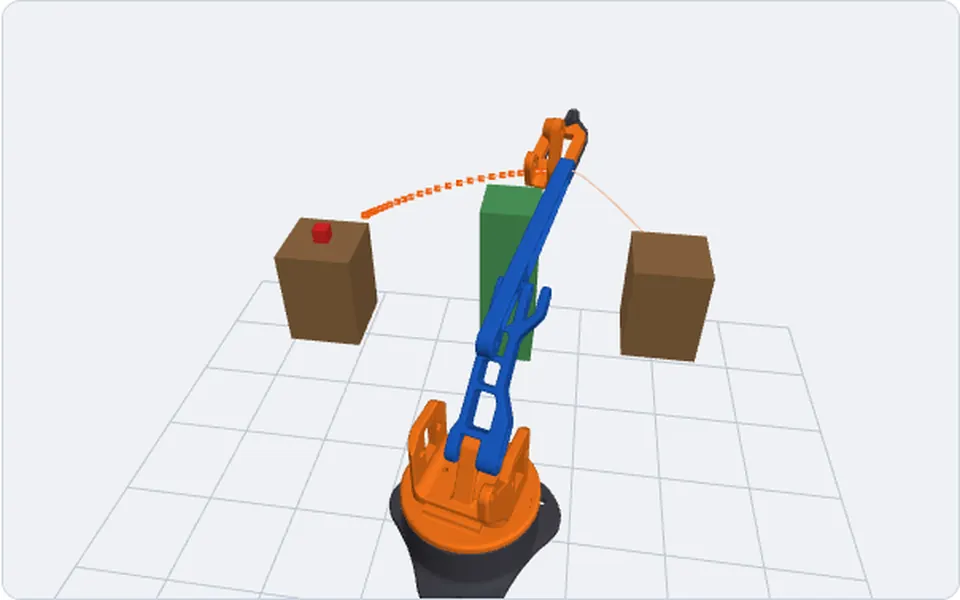
Planned by real MoveIt 2 on Ubuntu 24.04 + ROS 2 Jazzy, replayed in your browser. In Level 4 you run the planner yourself.
924 real planning runs: 7 goals × 3 scenes × 7 planners (OMPL RRTConnect / RRT* / PRM 10 runs each, Pilz PTP / LIN 2, CHOMP / STOMP 5). Failures are MoveIt's own answers. Times were measured on one laptop while other work was running: compare planners with each other, not with your PC.
LEVEL 2
Mobile robot replay
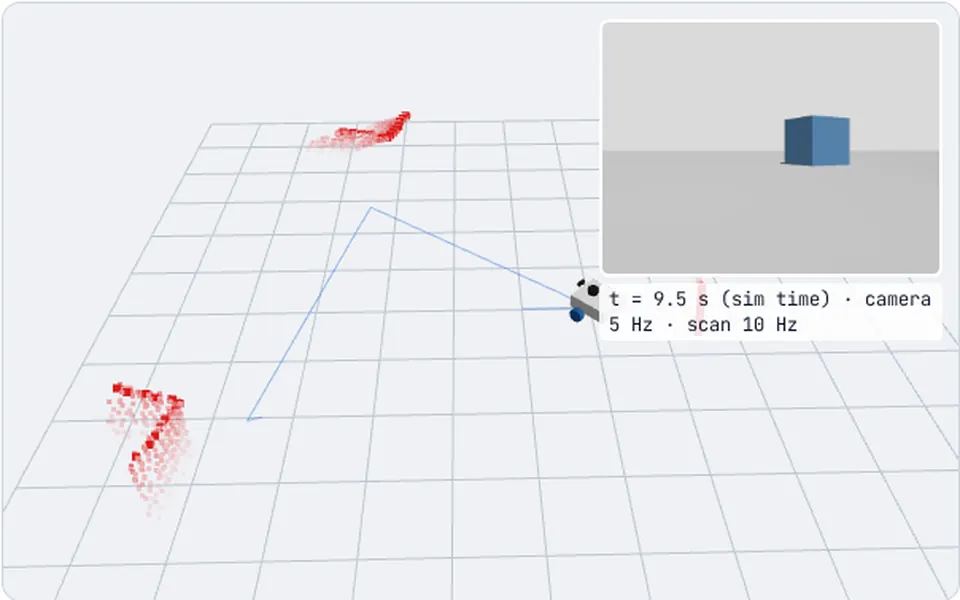
Lidar and camera recorded from my_bot in Gazebo with real ROS 2 Jazzy (ros2 bag, MCAP), replayed in your browser.
The course robot from Level 2. The front camera was added for this demo only (the course's my_bot has a lidar only).
Download the recording (.mcap, 1.7 MB) · Watch the 20-s screen recording of this run
LEVEL 3
ros2_control replay
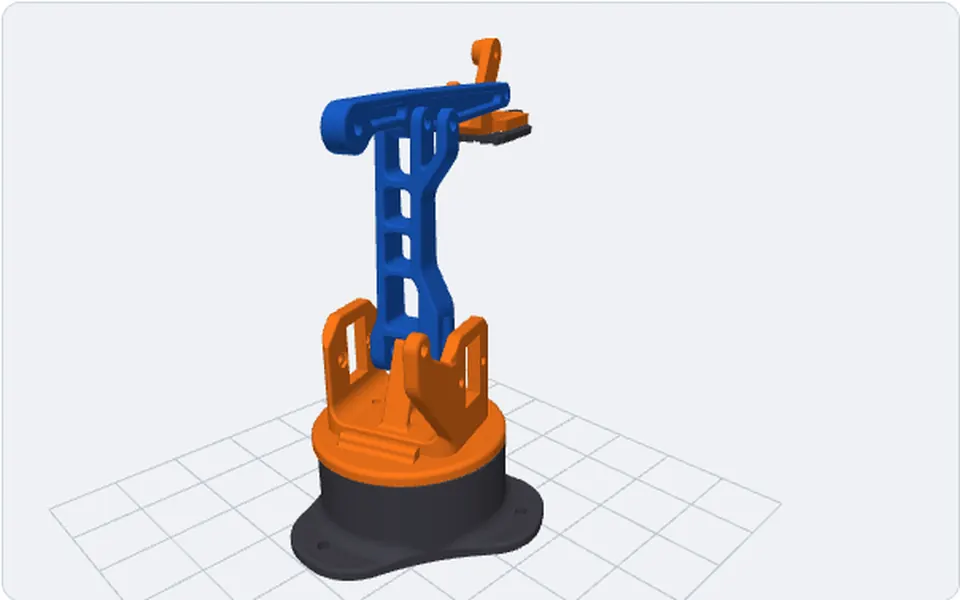
A joint trajectory controller running in real ros2_control (ROS 2 Jazzy): commanded vs actual joint angles, recorded at 50 Hz, replayed in your browser.
In these recorded messages, mock hardware's actual angle matches the command (largest gap 0.00092 rad). In Gazebo the joints lag behind it (largest gap 0.072 rad).